
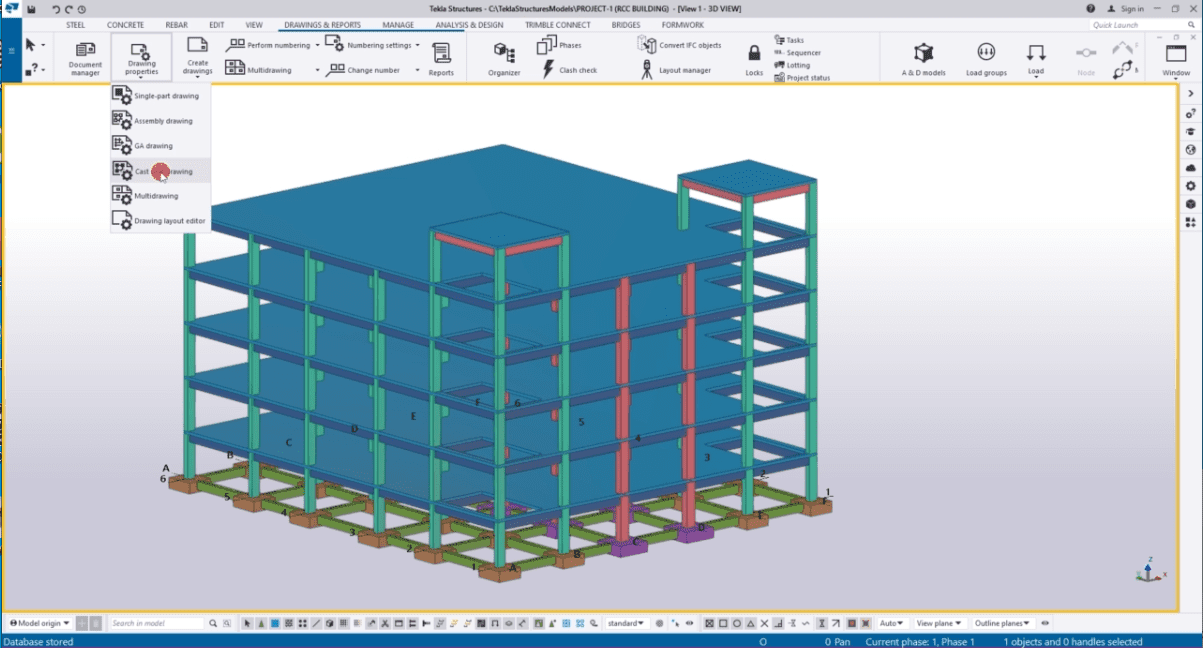
Training Tekla Structure Design
Tekla
Rp5000000.00
DESCRIPTION
Tekla is one of the most powerful Structural BIM Software used by the industries.
With Tekla Structures, you can create, combine, manage and share information with remarkable efficiency.
Tekla Structures is used by structural engineers, designers, detailers, fabricators, contractors and project managers. Tekla adopts truly constructible BIM process and delivers reliable project information in less time. One can Import, export and link your model data with other project parties, software, digital construction tools, and machinery for smoother workflows. By using BIM Collaboration tool, we can work from anywhere, anytime, alone or in distributed teams.
Our Tekla Training portfolio includes in depth hands on online training on Tekla Structural Steel Fundamentals and Tekla Structural Designer. Course contents includes modules like Tekla Structures for Bridge Designers, Concrete Contractors, Rebar Detailers and BIM fundamentals. Training is delivered by Industrial Working Professionals having rich experience on Tekla Software. Our Virtual training courses at basic and advanced levels give you the confidence and skills to be more productive with Tekla software.
Who should join Training PVElite by Oil Institut?
This course will specifically benefit :
Civil Engineering Students
Civil Technicians
Technical Draftsman
Those who work in Steel Structure Projects
COURSE CONTENT
Introduction to Tekla
Tekla Structures basic tools and commands
Concrete Modelling
Creation of piles in Tekla
Creation of strip footings in Foundation with Tekla
Creation of Slab and discount of materials in Tekla
Creation of Structural Columns in Tekla
Creation of concrete beams in Tekla
Rebar modelling
Steel Modelling
Creation of Steel Columns in Tekla
Creation of steel beam in Tekla – Single beam, polybeam, curved beam, twin profile, orthogonal beam
Create plate, bent plate
Welding
Bolting
Assembly and Part Details
Various types of Connections
Base plate connection
Column to beam moment connection
Column to beam shear connection
Beam to beam shear connection
Stair
Numbering and Detailing
Detailing views
Generation of 2D drawings plans, elevations and detail views
Numbering of main parts and assembly parts
Single Part drawings and assembly drawings
Managing drawings & Reporting
DURATION COURSE:
3 days
@8 hour / day
SCHEDULE COURSE 2026
January
February
March
April
Mei
June
July
August
September
October
November
December
*Start the course the first week of every month